Which Shopify Apps Do You Need Before Black Friday?
One app per job, not twenty. A fact-checked shortlist of Shopify apps for Black Friday 2026 (email, bundles, urgency, back-in-stock, reviews), with prices read on the official listings on October 15, 2026, and a six-week install calendar.
 Victor· Growth Hacker
Contents
- Which Shopify apps do you actually need for Black Friday?
- How many apps is too many before a traffic spike?
- Which email and SMS app should you run for Black Friday?
- Which apps raise order value with bundles and upsells?
- How do you add urgency without hurting trust?
- How do you recover abandoned carts and back-in-stock demand?
- Which review apps build trust before the traffic arrives?
- What should your 6-week Black Friday app timeline look like?
- Where does Review Collect fit in your Black Friday setup?
TL;DR
- →Pick one app per job: email and SMS, bundles, urgency, back-in-stock, reviews. Each extra app is one more thing to configure and test in the busiest week of the year.
- →Free plans cover most of a store under $50k a month: Shopify Messaging (10,000 free emails), Klaviyo, Omnisend, Judge.me, ReConvert and Essential Countdown Timer Bar all have one.
- →Install by October 30, freeze the theme on November 13, and use the last two weeks for testing, not for new apps.
- →Black Friday falls on November 27, 2026 and Cyber Monday on November 30.
You need five or six apps for Black Friday, one per job: email and SMS, bundles and upsells, a countdown, back-in-stock alerts and reviews. Everything else is optional. Install them before the end of October, test them on mobile, and stop adding apps two weeks before November 27.
Most lists you will find online rank 20 or 25 apps by popularity. This one starts from the jobs your store has to do in a traffic spike and picks one realistic option per job. Every price below was read on the official listing on October 15, 2026, so check the live page before you pay: plans change often.
Which Shopify apps do you actually need for Black Friday?
Five jobs matter during Black Friday and Cyber Monday: getting people to the store, raising the basket, creating a deadline, catching sales you would otherwise lose, and reassuring first-time buyers. One app per job is enough for almost every store.
| Job | Start with | Free option (checked Oct 15, 2026) |
|---|---|---|
| Bring people back (email, SMS) | Shopify Messaging, or Klaviyo / Omnisend for flows | 10,000 emails a month free; Klaviyo email free up to 250 contacts; Omnisend free up to 250 contacts |
| Raise the basket (bundles, upsells) | Kaching Bundles, ReConvert | ReConvert free up to 50 orders; Kaching free on development stores only |
| Create a deadline | Essential Countdown Timer Bar | Free plan available |
| Catch lost sales (back in stock) | Appikon Back In Stock | Free plan, 10 emails a month |
| Reassure new buyers (reviews) | Judge.me for on-page reviews, Review Collect for Google and Trustpilot | Judge.me has a free plan |
The rest of this guide goes through each row, with the numbers that decide whether the app fits your store size.
Shopify merchants sold a record $14.6 billion over Black Friday and Cyber Monday 2025, up 27% on 2024, with 81 million customers buying from Shopify-powered brands (Shopify, December 2, 2025).
Why does a small store need a shorter list?
A store doing under $50k a month has one team member who also answers support emails. Each extra app is one more thing to configure, test and debug in the week you have no spare hours. Choose the four or five apps that map to your own weak spot: if your email list is empty, start there; if your traffic is fine but baskets are small, start with bundles.
How many apps is too many before a traffic spike?
Every app you install adds code, requests or scripts to your storefront, and each one is a possible point of failure when traffic multiplies. The safe rule is one app per job, a hard install deadline, and a theme freeze two weeks before the sale.
The test is simple. Before you install anything, write down the one job it does. If two apps do the same job (two countdown bars, two upsell pop-ups), keep the one you configured better and remove the other. Overlapping pop-ups are the first thing to remove when a phone screen feels crowded.
What should you test on mobile?
Test on a phone first, because that is where overlapping elements hurt most. Open the store on a real phone, add a product to the cart, apply a discount code, check the bundle, the countdown bar and the pop-ups, then complete a test order. Watch for two things: elements that overlap or hide the add-to-cart button, and any step that makes the page visibly jump while loading.
When should you stop changing things?
Set a freeze date, and make it November 13. After that day, you only fix bugs. New apps, theme changes and new discount logic go live before the freeze or after Cyber Monday. A stable store beats a clever one on November 27.
Which email and SMS app should you run for Black Friday?
Start with Shopify Messaging if you only need campaigns and a few automations. Move to Klaviyo or Omnisend when you want advanced flows, segments and SMS. Email is the cheapest way to bring past customers back, and Black Friday is the day they expect an offer.
Shopify Messaging: the free starting point
Shopify Messaging is built into every Shopify plan. You can send up to 10,000 manual or automated emails a month for free, then pay $1 per 1,000 additional emails, according to Shopify's own page read on October 15, 2026. It is the right start for a small list that sends a few campaigns. If you need SMS, segments or advanced flows, look at the next two options.
Klaviyo: segments, flows and SMS in one tool
Klaviyo has a 4.7 rating across 3,379 reviews on the Shopify App Store. Email is free up to 250 contacts and SMS is free up to 150 credits. The first paid email tier costs $20 a month for 251 to 500 contacts, and the first SMS tier costs $15 a month for 1,250 credits. It fits a store that wants segments, flows and SMS in one place. Prices rise with your contact count, so price the plan for your list size on the day you send, not for the entry tier.
Omnisend: a slightly lower entry price
Omnisend is rated 4.7 across 3,189 reviews. Its free plan covers up to 250 contacts and 500 emails a month, and the Standard plan costs $16 a month for up to 500 contacts, with a 30% discount on the first three months. It fits a store that wants a lower entry price for email and SMS. As with Klaviyo, the price rises as your list grows.
Which one fits which store?
| Situation | Better fit |
|---|---|
| Small list, a handful of campaigns | Shopify Messaging (free allowance) |
| You want segments, flows and SMS in one tool | Klaviyo |
| You want a lower entry price for email and SMS | Omnisend |
Which apps raise order value with bundles and upsells?
For bundles and quantity breaks, look at Kaching Bundles & Upsells; for offers after payment, ReConvert. Both pay for themselves only if the offer is simple: buy two and pay less, or add this item before you pay.
Kaching Bundles & Upsells: bundles and quantity breaks
Kaching Bundles App & Upsells has a 5.0 rating across 6,316 reviews. It is free on development stores, and the paid plans are Starter at $14.99 a month, Scale at $29.99 and Pro at $59.99, each with a 7-day free trial (read on October 15, 2026). It fits a store that wants quantity breaks and bundles on the product page. On a live store you pay from the first day, so budget for it.
ReConvert: offers after payment
ReConvert, listed under its developer Upsell.com, has a 4.8 rating across 3,106 reviews. Its free plan covers up to 50 orders or $50 in upsell revenue. Paid plans start at $9.99 a month for 51 to 100 orders, then $19.99 for 101 to 200 and $39.99 for 201 to 500, with a 14-day free trial. It fits a store that wants to sell one more item once the customer has paid. Two limits matter: its checkout upsell is available only on Shopify Plus, and the free plan stops at 50 orders, which one good morning on November 27 can cross before lunch. Upgrade before the sale so the app does not stop mid-campaign.
How do you price a Black Friday bundle?
Give a real reason to buy more, not a decoy. Two products at a lower combined price, or a free gift above a basket threshold, are easy to understand on a phone. Avoid stacking a bundle, a code and a free-shipping rule in the same cart: stacking is where margin disappears and where checkout errors appear. To measure the effect of these offers, start by calculating your average order value.
How do you add urgency without hurting trust?
Use a real deadline and show it in one place. A countdown bar at the top of the store is enough, and it works only if the deadline is true. A timer that resets every time the page reloads teaches shoppers to ignore every future offer.
Essential Countdown Timer Bar: a free countdown bar
Essential Countdown Timer Bar is rated 5.0 across 1,730 reviews and has a free plan, according to its Shopify App Store listing on October 15, 2026. Its tagline targets Black Friday and Cyber Monday flash sales, so it fits the use case directly. Keep the bar in the announcement area: on the product page, a large timer next to the add-to-cart button pushes the button down on small screens.
How should you word the deadline?
State the end date and time with the time zone: "Ends Monday, November 30 at 11:59 p.m. ET". Your customers can plan around it, and it prevents support tickets from people who thought the sale ran another day. Keep one timer per offer; two bars with different deadlines confuse more than they convert.
How do you recover abandoned carts and back-in-stock demand?
Two flows catch sales you already paid to attract: an abandoned-cart email or SMS, and a back-in-stock alert. Your email tool covers the first. For the second, add a dedicated app, because the best-selling products are the ones that sell out first.
Abandoned carts: build the flow in your email tool
You do not need a separate app for abandoned carts. Build that flow in your email tool (Klaviyo lists flows among its features), set it up in October and send test messages to yourself. A flow that has never fired is a flow you cannot trust on November 27.
Appikon Back In Stock: alerts when a product returns
Appikon Back In Stock is rated 4.8 across 1,458 reviews. The free plan allows 10 emails a month, the Starter plan costs $19.99 a month for 300 emails, Pro costs $29.99 for 1,000 and Premium $49.99 for 3,000, each with a 7-day trial. SMS alerts are billed separately, from $0.05 to $0.40 a message depending on length. It fits a store whose best sellers sell out. Run a test before the sale, because an alert that fails on Black Friday costs you the sale it was meant to recover.
How do you plan stock for the alerts?
A back-in-stock alert only helps if you can restock. Mark the products that will sell out, set the alert on those pages, and decide in advance whether a restock is realistic before November 30. An alert you cannot honor creates disappointed customers instead of sales.
Which review apps build trust before the traffic arrives?
Two different jobs hide under the word "reviews": showing reviews on your product pages, and getting more reviews onto Google and Trustpilot, where shoppers check you before they buy. Black Friday brings first-time visitors who do not know your brand, so both matter, and they use different tools.
Judge.me: reviews on every product page
Judge.me is one of the best-known options for on-page product reviews. It has a 5.0 rating across 48,541 reviews, a free plan listed as "Forever Free", and a paid plan at $15 a month with a 15-day free trial (listing read on October 15, 2026). If you want stars on every product card, start there. We compare it in detail in our Judge.me versus Review Collect comparison.
Review Collect: reviews on Google and Trustpilot
Review Collect plugs into your Shopify orders, sends the review request after delivery, and distributes the satisfied customers to the platform you choose. That adds fresh, public ratings that new shoppers see before they reach your site. The Shopify integration takes under five minutes to set up, according to our Shopify integration page.
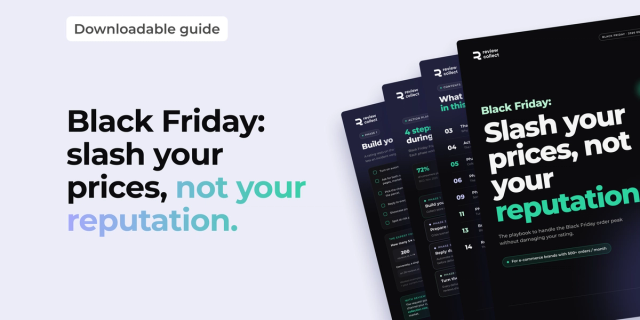 GuideFree PDFHow to prepare for Black Friday 2026: slash your prices, not your reputationBlack Friday 2026 falls on November 27: more orders, overloaded carriers and a customer support team under pressure. Our free playbook helps you get through the peak without damaging your rating.Download the guide
Do you need both?
Not necessarily. A store with no reviews at all needs its first reviews on product pages. A store already well rated on product pages but invisible on Google gains more from the second job. Pick the one that matches your gap, and add the second after the sale.
When should the review requests start?
Before the sale, not after. Reviews collected in October from your existing customers are live on November 27. Requests sent on Black Friday itself reach customers who have not received their parcel yet. Our guide on preparing for Black Friday with customer reviews covers the timing in detail.
What should your 6-week Black Friday app timeline look like?
Install in October, test in early November, freeze on November 13, and spend the last two weeks watching the store rather than changing it. Each week has one job. The dates below count back from Black Friday on November 27, 2026.
| Dates | Goal | What to do |
|---|---|---|
| Oct 15 to Oct 23 | Decide | List your five jobs, pick one app per job, check prices on each listing |
| Oct 24 to Oct 30 | Install | Install and configure email flows, bundles, countdown, alerts, reviews |
| Oct 31 to Nov 6 | Test | Place test orders on mobile, check discounts, bundles and emails |
| Nov 7 to Nov 13 | Fix and freeze | Remove overlapping apps, upgrade plans with order limits, freeze on Nov 13 |
| Nov 14 to Nov 26 | Prepare | Schedule emails and SMS, set the countdown end time, brief support |
| Nov 27 to Nov 30 | Run | Watch orders, fix only bugs, answer customers fast |
What should you check on the morning of November 27?
Open the store on your phone, place one test order with a discount code, and check that the confirmation email arrives. Confirm that every paid plan with an order cap has room. Then leave the settings alone.
Where does Review Collect fit in your Black Friday setup?
Review Collect handles one job in this list: getting the buyers you already have to leave reviews on Google, Trustpilot or Verified Reviews, so that new shoppers see a recent public rating. It connects to your Shopify orders, sends the request after delivery, and multiplies review volume by 30 in the first 30 days.
When a customer is unhappy, Review Collect sends the feedback to your support team by email, with the order details, so you can reach the customer first. The customer always keeps the choice to publish.
Review Collect is not the right choice if you only need star ratings displayed on your product pages: Judge.me does that job directly, and it has a free plan. It is also not a replacement for your email tool or your bundle app. It fills the gap between a delivered parcel and a public review. Our review collection product page lists the channels, and the e-commerce solution page shows how stores use it day to day.
If you want the full picture of what to prepare, read our guide to Black Friday customer reviews and the data on how reviews affect average order value.



Your next order deserves a review. We take care of it.
SMS and WhatsApp collection, mediation for unhappy customers, AI replies on every published review. Live in 48 hours, no developer needed.
Free demo×30 reviews in the first month · AI reply in under 60 seconds after publication
Frequently Asked Questions
Analyze with AI
Ask your questions about "Which Shopify Apps Do You Need Before Black Friday?" with your preferred AI

Growth Hacker
Your customers have reviews to give. We collect them for you.
20 minutes with a Review Collect expert. You leave with a concrete collection plan for your brand.