

How Much Do Google Shopping Ads Cost? (And Do Stars Help?)
Google Shopping ads have no entry fee, and the only public benchmark puts a click near $0.66 and a sale near $35. Here is the full cost math, then what star ratings change and what you need to show them before Black Friday.
 Victor· Growth Hacker
Contents
- How much do Google Shopping ads cost in 2026?
- What does a realistic Google Shopping budget look like for a small ecommerce brand?
- How do product ratings change your clicks and your cost per sale?
- What do you need to show star ratings on Google Shopping?
- What is the difference between product ratings and Google Seller Ratings?
- Why do your stars not show up on Google Shopping?
- How do you collect enough reviews before Black Friday?
- How does Review Collect help your Google Shopping ads?
TL;DR
- →Google gives no official Shopping CPC. The only public benchmark (2018-2019) implies about $35 per sale.
- →Product ratings need 50 reviews across the catalog and 3 on the product, plus a clean feed.
- →Reviews change cost per sale through clicks and conversion, not through a published CPC discount.
Google Shopping ads cost you a fee per click, with no official average from Google. The best public benchmark is $0.66 per click and a 1.91% conversion rate, which works out to about $35 per sale, and star ratings can improve that number only if they actually appear on your listings.
How much do Google Shopping ads cost in 2026?
Google Shopping ads cost you a bid per click, and Google publishes no official average CPC for the format. You pay nothing when your product listing is shown. You pay when a shopper clicks it. The only structured public benchmark we found comes from WordStream data reported by Search Engine Journal, based on 671 US accounts between August 2018 and February 2019. Those are medians, and they are old. Read them as an order of magnitude, not as a 2026 promise. We looked for a 2025 or 2026 Shopping-specific benchmark from the usual publishers (WordStream, LocaliQ, Tinuiti) and found none. Most 2025 blog roundups repeat the same 2019 figures.
| Metric | Figure | Source and date |
|---|---|---|
| Average CPC | $0.66 | WordStream via Search Engine Journal, data from Aug 2018 to Feb 2019 |
| CPC range quoted by guides | $0.46 to $1.20 | Shopify's Google Shopping guide, July 2024, no source stated |
| Click-through rate | 0.86% | WordStream, same dataset |
| Conversion rate | 1.91% | WordStream, same dataset |
| Cost per action | $38.87 | WordStream, same dataset |
| Cost per sale, computed | $34.55 | $0.66 divided by 1.91% |
Prices change by category and by season. November and December bids climb because every brand wants the same shoppers.
What are Google Shopping ads, and how does a campaign work?
Google Shopping ads are product listings with an image, a price, your store name and, when eligible, a star rating, shown above or beside search results. You do not write them. Google builds each one from your product feed in Merchant Center, so the feed is the ad. A Google Shopping campaign in Google Ads then decides how much you bid and which products you push. Ecommerce brands run either a standard Shopping campaign, where you control bids by product group, or Performance Max, where Google spreads your budget across Shopping, Search and other surfaces. Free listings use the same feed at no cost. The cost question only applies to the paid side.
How do you turn a CPC into a cost per sale?
Divide your cost per click by your conversion rate. That number is what each order costs you in ads, and it is the only figure that tells you whether Shopping pays.
Here is a worked example. The assumptions are ours, not Google's: $0.66 CPC, a 1.91% conversion rate, an average order value of $80 and a 45% gross margin.
- Cost per sale: $0.66 / 0.0191 = $34.55.
- Gross margin per order: $80 x 45% = $36.
- Profit left per order after ads: about $1.45.
- Return on ad spend: $80 / $34.55 = 2.3. Break-even ROAS at a 45% margin is 1 / 0.45 = 2.2.
At benchmark numbers, a $0.66 click and a 1.91% conversion rate put one sale at roughly $35. On a 45% margin, that is break-even.
The takeaway: at benchmark performance, a typical brand barely breaks even on the first order. Profit comes from a better conversion rate, a better margin, or repeat purchases.
What does a realistic Google Shopping budget look like for a small ecommerce brand?
A small ecommerce brand can test Google Shopping with $20 a day, about $600 a month, and should expect a first read on performance after two to three weeks of data. Google sets no minimum budget beyond the daily amount you choose. What matters is volume: with too few clicks, one random order swings your conclusion. The table below applies the same benchmark assumptions as above ($0.66 CPC, 1.91% conversion, $80 order value, 45% margin). It is a simulation, not a forecast.
| Monthly ad budget | Clicks | Orders | Revenue | Margin after ad spend |
|---|---|---|---|---|
| $600 | about 910 | about 17 | about $1,390 | about $25 |
| $1,500 | about 2,270 | about 43 | about $3,470 | about $62 |
| $3,000 | about 4,545 | about 87 | about $6,940 | about $125 |
Spending more does not change the unit math. It only gives you more data and a bigger absolute number. If the cost per sale is above your margin per order, a larger budget loses money faster.
Which levers move the numbers more than the budget?
Four levers matter more than the daily amount. Product feed quality decides which searches you show up for. Price against nearby competitors decides who gets the click. Your product page decides conversion. Your margin decides how much you can afford to bid.
For ecommerce brands, trust signals on the product page and in the listing belong in that list. A shopper who sees a 4.6 rating next to two similar prices has a reason to pick one. That is the part you can improve without raising bids.
Start with your best sellers and a margin you know. Cut any product that spends twice its margin without an order.
How do you read the results after three weeks?
Compare cost per sale to margin per order, product by product. If a product sits below its margin, raise its bid or give it more budget. If it sits at two or three times its margin with at least 100 clicks, pause it or fix the page before spending more. With fewer than 100 clicks, keep waiting. At a 1.91% conversion rate, 100 clicks produce fewer than two orders, so the data is still noise. Check price against the top three competing listings, and check that your product title contains the words shoppers type. Those two fixes cost nothing and move clicks faster than a bid change.
How do product ratings change your clicks and your cost per sale?
Product ratings put a star score and a review count next to your listing, and they change the choice a shopper makes between two similar products. Google publishes no figure for the effect on clicks, conversion, ROAS or CPC, so any percentage you read in a vendor article is not from Google. What you can do is compute what a lift would be worth. The scenario below is a simulation with assumptions we chose, labeled as such.
Base case: 10,000 impressions, 0.86% CTR, $0.66 CPC, 1.91% conversion rate.
| No stars | Stars, +20% CTR only | Stars, +20% CTR and +20% conversion | |
|---|---|---|---|
| Clicks | 86 | 103 | 103 |
| Ad spend | $56.76 | $68.11 | $68.11 |
| Orders | 1.64 | 1.97 | 2.37 |
| Cost per sale | $34.55 | $34.55 | $28.82 |
In the second column, more clicks bring more orders, but the cost of each order stays the same. The third column is where the cost per sale falls, because the extra shoppers arrive better informed and buy more often. Whether that happens on your store is something only your own data can show.
How do you test whether stars help your store?
Run a clean before and after on products that gain stars. Record each product's CTR, conversion rate and cost per sale for the four weeks before stars appear, then for four weeks after. Keep price, bid and promotions unchanged on those products. Compare against a similar group of products that still have no stars. If you do both, you separate the effect of the stars from the effect of Black Friday traffic, which lifts everything. Without a control group, a November sales jump proves nothing. Expect a small sample on slow products, and judge the result on your best sellers.
Do reviews lower your cost per click?
Google does not state that star ratings lower your CPC on Shopping. Your CPC comes from the auction and your bid. Stars can change how often people click you and how many of them buy, which moves your cost per sale even if the CPC stays put. Our article on how customer reviews lower your Google Ads cost per click covers Search text ads. This one stays on Shopping and the product feed.
What do you need to show star ratings on Google Shopping?
You need at least 50 reviews across your catalog, a review feed uploaded at least monthly, a feed domain that matches your Merchant Center account, and accurate product identifiers. These conditions come from Google's product ratings documentation, read as of November 2026. Google's pages do not agree on every number, so the table flags the gaps.
| Requirement | Threshold | Where it comes from |
|---|---|---|
| Reviews across the catalog | At least 50 | Merchant Center help (both pages) |
| Reviews per product | At least 3 for a product to show stars in ads | Google Ads help, article 6275294 |
| Feed freshness | Uploaded at least once a month | Merchant Center help, article 14549080 |
| Time before stars appear | Up to 2 weeks (article 6059553) or 2 to 4 weeks (article 14549080) | Two Merchant Center pages |
| Status sync in Merchant Center | 7 to 10 days | Both pages |
| Domain | Product URLs in the feed must match your registered Merchant Center domain | Article 14549080 |
| Account type | Standalone or sub-account, not a Multi-Client Account | Article 14549080 |
| Identifiers | GTIN, or brand plus MPN, consistent across feeds | Both pages |
How do the 50 and the 3 fit together?
The 50 is the catalog-wide threshold to activate product ratings in Merchant Center. The 3 comes from the Google Ads help page for Shopping ads, which says ratings only show for products with at least 3 reviews. Our reading is that you need both: 50 in total to be eligible, and 3 on a given product for it to display stars. Google does not spell out that link, so treat this as our interpretation. Many third-party guides repeat the 3 as if it were a Merchant Center rule. It is not on the Merchant Center pages.
The timing gap works the same way. If you start today, plan for the longer window: the November 27 Black Friday is under four weeks away.
What is the difference between product ratings and Google Seller Ratings?
Product ratings score a single item from reviews of that product, while Google Seller Ratings score your whole store from reviews of the buying experience. They show in different places and use different thresholds.
| Product ratings | Seller ratings | |
|---|---|---|
| What is scored | One product | Your store |
| Review minimum | 50 across the catalog | Generally 100 eligible, unique reviews |
| Quality bar | None stated | Average of at least 3.5 out of 5 for ads |
| Window | Feed updated monthly | Rolling 24 months |
| Scope | Per product | Per country |
The seller rating window needs a caution. Google's seller ratings page says 24 months in its requirements and 5 years in its troubleshooting section. We cite 24 months. Google Customer Reviews, a free Google program that collects post-purchase reviews for merchants, is one listed source.
The full breakdown of seller ratings is in our guide to boosting your Google Seller Rating.
Why do your stars not show up on Google Shopping?
Missing stars almost always trace back to one of seven causes, and most are fixable in a day. Work through this list in order before you contact support.
- You have fewer than 50 reviews across the catalog. Below that, the feature does not activate at all.
- The product has fewer than 3 reviews. Other products can show stars while this one does not.
- GTIN, MPN or brand is missing or wrong. Google matches reviews to products mainly on GTIN. When identifiers are absent or inconsistent, it falls back to weaker signals and fewer reviews match.
- The domain in your review feed does not match your Merchant Center domain.
- The review feed has not been refreshed within the last month.
- The reviews belong to another country than the one where the ad runs. Seller ratings are calculated separately for each country.
- Your account is a Multi-Client Account. Product ratings need a standalone account or a sub-account.
Where do you check first?
Start with the Merchant Center status for the review data source, then compare one product's GTIN in your catalog feed with the one in your review feed. A single character off is enough to break the match. If your reviews live in a review app, the tutorial on syncing product reviews to Google Shopping shows the feed side step by step.
If everything matches and nothing shows, wait out the delay in the previous section. The status can lag the real state by 7 to 10 days.
How do you collect enough reviews before Black Friday?
Collect reviews at the moment of delivery, ask by the channel your customer already uses, and send a reminder, because the ask is where most stores lose their volume. Black Friday 2026 falls on November 27. Starting today gives you less than four weeks, and Google can take up to four of them to show your stars. So aim to cross the thresholds first and treat the display as a bonus if it arrives in time.
Do the arithmetic for your store. With 300 orders a month and a 3% collection rate (the market average we use at Review Collect), you collect about 9 reviews a month. At 39%, which is the rate we see with Review Collect, you collect about 117. The first rate takes five months to reach 50. The second takes about two weeks.
Which channel should you ask on?
Match the channel to the customer. Email works for everyone. SMS and native WhatsApp reach people who ignore their inbox. A QR code on the parcel catches the ones who unbox and want to say something. Ask when the order arrives, not when it ships, so the customer has the product in hand.
Prioritize the products you advertise most. Stars on a best seller are worth more than stars on a product nobody clicks, and the 3-review minimum applies product by product. Send a single reminder five days after delivery to anyone who has not answered, then stop. A second reminder irritates more customers than it converts.
Google Customer Reviews is a free source if you have no review tool yet. It feeds the seller rating, which is a store score, not a product one.
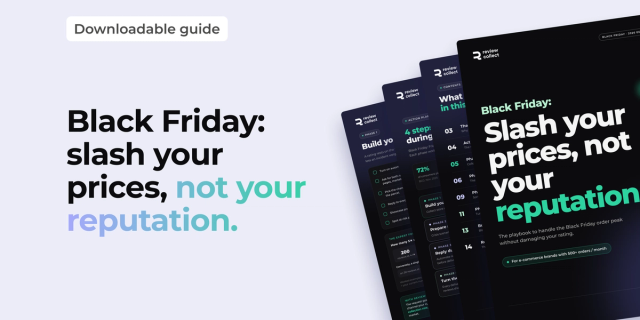 GuideFree PDFHow to prepare for Black Friday 2026: slash your prices, not your reputationBlack Friday 2026 falls on November 27: more orders, overloaded carriers and a customer support team under pressure. Our free playbook helps you get through the peak without damaging your rating.Download the guide
How does Review Collect help your Google Shopping ads?
Review Collect raises the number of reviews you collect, which is what Google checks first: 50 across the catalog, 3 on a product, 100 for a seller rating. Our brands see their monthly review volume multiplied by 30 within the first month, and a collection rate of 39% against 3% on average across the market.
Review volume multiplied by 30 in the first month, with a 39% collection rate against 3% on average across the market.
The mechanics stay simple. Review Collection sends the request by email, SMS, native WhatsApp or QR code, tied to delivery tracking. It gathers product reviews and store reviews, and replies to every published review in under 60 seconds in your brand voice. Review Collect reaches a 39% collection rate, against 3% on average across the market.
Review Collect does not replace your Merchant Center work. You still need the feed, the identifiers and the domain match covered above. We fill the part that stalls most stores, which is the volume of reviews. Check your catalog numbers first, then book a demo and we will map your reviews to your feed.



Your next order deserves a review. We take care of it.
SMS and WhatsApp collection, mediation for unhappy customers, AI replies on every published review. Live in 48 hours, no developer needed.
Free demo×30 reviews in the first month · AI reply in under 60 seconds after publication
Frequently Asked Questions
Analyze with AI
Ask your questions about "How Much Do Google Shopping Ads Cost? (And Do Stars Help?)" with your preferred AI

Growth Hacker
Your customers have reviews to give. We collect them for you.
20 minutes with a Review Collect expert. You leave with a concrete collection plan for your brand.
Related articles
RCS for customer review collection: what changes in 2026
Aug 10, 2026
B2B and SaaS Customer Reviews: Why They're Harder to Collect (and How to Automate Them)
Aug 3, 2026
Social Proof Marketing: Definition, Types, and How Customer Reviews Make It Work
Jul 23, 2026